# MiniMoth — Full API Documentation
> WhatsApp/SMS OTP authentication API for Indian developers and startups. Send and verify OTPs via two REST endpoints — no WhatsApp Business Account setup, no TRAI DLT registration, no telecom paperwork. MiniMoth handles all regulatory complexity for both channels.
Base URL: `https://api.minimoth.dev`
Authentication: `X-Api-Key: mm_live_...` header on every request.
Indian phone numbers only. Accepted formats: `+91XXXXXXXXXX` or bare 10 digits starting with 6–9.
---
## Quickstart
export const installCode = `npm install @minimoth/sdk-node`
export const sdkSendVerifyCode = `import { MiniMoth } from '@minimoth/sdk-node'
const mm = new MiniMoth({
apiKey: process.env.MINIMOTH_API_KEY, // mm_live_...
})
// 1. Send OTP — delivered via WhatsApp first, falls back to SMS automatically
const { otpId } = await mm.otp.send({ phone: '+919876543210' })
// 2. Verify the code — never throws, always returns a result
const result = await mm.otp.verify({ phone: '+919876543210', otp: '123456' })
if (!result.valid) {
// result.code: 'INVALID_OTP' | 'OTP_NOT_FOUND' | 'VERIFY_RATE_LIMITED' | ...
} else {
// Phone is verified — result.accessToken, result.refreshToken, result.sessionId
}`
export const sendCode = `const res = await fetch('https://api.minimoth.dev/v1/otp/send', {
method: 'POST',
headers: { 'X-Api-Key': 'mm_live_...', 'Content-Type': 'application/json' },
body: JSON.stringify({ phone: '+919876543210' }),
})
const { otp_id } = await res.json()
// otp_id can be used with GET /v1/otp/status/:otp_id to check delivery`
export const statusCode = `// Optional — poll delivery status before showing "OTP sent" in your UI
const res = await fetch(\`https://api.minimoth.dev/v1/otp/status/\${otp_id}\`, {
headers: { 'X-Api-Key': 'mm_live_...' },
})
const status = await res.json()
// { otp_id, channel: 'whatsapp' | 'sms', status: 'queued' | 'delivered' | 'failed', delivered_at }`
export const verifyCode = `const res = await fetch('https://api.minimoth.dev/v1/otp/verify', {
method: 'POST',
headers: { 'X-Api-Key': 'mm_live_...', 'Content-Type': 'application/json' },
body: JSON.stringify({ phone: '+919876543210', code: '123456' }),
})
const { access_token, refresh_token, expires_at } = await res.json()
// expires_at is the access_token expiry (ISO 8601)`
Who this is for: MiniMoth is designed for indie developers, startups, and anyone building for Indian users who needs WhatsApp/SMS OTP without the overhead of a WhatsApp Business Account, DLT registration, or session management.
Delivery: Every OTP is sent over WhatsApp first, falling back to SMS automatically if WhatsApp delivery fails. Both channels run on MiniMoth's own infrastructure — a verified WhatsApp Business Account and a TRAI DLT-registered SMS sender — so you never set up a WABA, register a sender ID, or manage compliance for either one. You get one simple API; MiniMoth handles both channels behind it.
POST /v1/otp/send', description: 'MiniMoth generates a 6-digit code and delivers it via WhatsApp first, falling back to SMS automatically if WhatsApp fails. You are charged ₹0.35 at this point.' },
{ marker: '~', title: 'Optionally check delivery status', description: 'Call GET /v1/otp/status/:otp_id using the otp_id from step 1. Tells you whether the code landed on WhatsApp or SMS. Useful for showing delivery confirmation in your UI before the user enters the code.', tone: 'muted' },
{ marker: '2', title: 'User enters the code in your app', description: 'You collect the 6-digit code from your UI and send it to your server.' },
{ marker: '3', title: 'Your server calls POST /v1/otp/verify', description: 'MiniMoth checks the code and returns an access_token and refresh_token on success.' },
{ marker: '✓', title: 'Phone number verified — user is authenticated', description: 'Use the tokens to validate every subsequent request, or bring your own session system. See Sessions and Recipes.', tone: 'final' },
]} />
## 1. Get an API key
Create a project in the [dashboard](https://app.minimoth.dev/register). Every project gets an API key in the format `mm_live_...`, shown once on creation and available any time under Project Settings.
2. Send and verify an OTP with the Node.js SDK
[@minimoth/sdk-node](https://www.npmjs.com/package/@minimoth/sdk-node) is the fastest way in — it handles phone normalisation, token management, and auto-refresh, so there's no boilerplate around the raw API.
**Accepted phone formats:** `+91XXXXXXXXXX` or bare 10 digits `XXXXXXXXXX`. The 10-digit number must start with 6–9.
`accessToken` is valid for 5 minutes. `refreshToken` is valid for your project's configured refresh window (default 10 days, max 30 days). See [the full Node.js SDK guide →](/docs/sdk-nodejs) for auto-refresh, session validation, and framework examples.
## Using another language, or calling the API directly
Not on Node.js, or want to talk to the REST API yourself? Two endpoints, no SDK required:
Send an OTP
The response includes an `otp_id` that can be used to poll delivery status.
### Check delivery status (optional)
MiniMoth first tries WhatsApp; if that fails, SMS is sent automatically. The `channel` field tells you which was used. This step is optional — you can call `otp/verify` directly without checking status first.
### Verify the code
`access_token` is valid for 5 minutes. `refresh_token` is valid for your project's configured refresh window (default 10 days, max 30 days). See [Sessions](/docs/sessions) for how to refresh and validate tokens.
Just need OTP delivery? You don't have to use MiniMoth's session tokens at all. If you already have your own auth system, call otp/send + otp/verify to confirm the phone number, then create a session in your own system. See the OTP-only recipe.
---
## Authentication
export const headerCode = `headers: {
'X-Api-Key': 'mm_live_...',
'Content-Type': 'application/json',
}`
export const sdkAuthCode = `import { MiniMoth } from '@minimoth/sdk-node'
const mm = new MiniMoth({
apiKey: process.env.MINIMOTH_API_KEY, // mm_live_...
})
// mm.otp.send(), mm.otp.verify(), etc. attach the header for you`
Every request to the MiniMoth API must include your project's API key in the `X-Api-Key` header:
Find or regenerate your key any time from the dashboard under **Project → Settings**. Regenerating a key immediately invalidates the old one.
Using Node.js, Express, or Next.js? @minimoth/sdk-node attaches the X-Api-Key header for you — pass the key once to the client instead of setting it on every request:
See the [Node.js SDK guide](/docs/sdk-nodejs) for the full API.
## Rate limits
| Endpoint | Live key (`mm_live_`) | Test key (`mm_test_`) |
|---|---|---|
| `POST /v1/otp/send` | 3 per phone per 10 minutes | 20 per phone per 10 minutes |
| `POST /v1/otp/verify` | 5 attempts per OTP, then invalidated | 20 attempts per OTP |
| `POST /v1/session/validate` | 3000 requests/min | 300 requests/min |
| Other `/v1/*` (refresh, logout, status) | 1000 requests/min | 100 requests/min |
---
## Sessions
export const validateCode = `const res = await fetch('https://api.minimoth.dev/v1/session/validate', {
method: 'POST',
headers: { 'X-Api-Key': 'mm_live_...', 'Content-Type': 'application/json' },
body: JSON.stringify({ access_token }),
})
const { valid, expires_at } = await res.json()
// valid: false on any invalid/expired token — never throws`
export const refreshCode = `const res = await fetch('https://api.minimoth.dev/v1/session/refresh', {
method: 'POST',
headers: { 'X-Api-Key': 'mm_live_...', 'Content-Type': 'application/json' },
body: JSON.stringify({ refresh_token }),
})
const { access_token, refresh_token: new_refresh_token, expires_at } = await res.json()
// Always replace the stored refresh_token with new_refresh_token.
// The old one is immediately invalidated.
// 401 if the refresh token is expired or was reused outside the 10-second grace window.`
export const logoutCode = `await fetch('https://api.minimoth.dev/v1/session/logout', {
method: 'POST',
headers: { 'X-Api-Key': 'mm_live_...', 'Content-Type': 'application/json' },
body: JSON.stringify({ access_token }),
})
// 401 INVALID_ACCESS_TOKEN if the access_token is expired — refresh first, then log out`
export const sdkValidateCode = `import { MiniMoth } from '@minimoth/sdk-node'
const mm = new MiniMoth({ apiKey: process.env.MINIMOTH_API_KEY })
// Local JWT verify only, zero network round trip (default validateMode: 'instant')
const result = await mm.session.safeValidate(accessToken)
if (!result.valid) return res.status(401).json({ error: result.code })
// result.session.sessionId, result.session.expiresAt
// If the access token had expired, safeValidate already refreshed it —
// forward result.session.newTokens to the client if present`
A successful otp/verify call — whether the code arrived over WhatsApp or SMS, MiniMoth's delivery channel doesn't affect sessions at all — returns two tokens. Here's what they do and why both exist.
access_token
Short-lived — expires in 5 minutes. Send this with every authenticated request to your backend. Validate it locally as a JWT (zero network round trip — the Node.js SDK does this by default), or call session/validate for a server-checked result. See local vs. API validation for the trade-off.
refresh_token
Long-lived — absolute expiry set per project (default 10 days, max 30 days). Store this securely. Use it to get a new access_token when the old one expires, without asking the user to re-enter their OTP. Every refresh also rotates the refresh_token itself — replace both, see Refresh a session.
The access_token is intentionally short-lived. If it leaks — intercepted in a log, accidentally exposed in an error — the damage is limited to 5 minutes. After that it's useless.
But you can't ask your user to re-verify their phone number every 5 minutes. That's where the refresh_token comes in. It lives on your server only, never travels in API responses to end users, and silently exchanges for a new access_token in the background.
Think of it like this: the access_token is the door key (short-lived, used constantly), and the refresh_token is the key-cutting machine (long-lived, stored safely, used only when the door key expires).
access_token in memory (or a short-lived cookie). Store refresh_token in an httpOnly cookie or secure server-side store.' },
{ marker: '2', title: 'Every request → validate access_token', description: 'Call session/validate. Returns valid: true + the session\'s expiry. Fast and lightweight — safe to call on every request. To resolve which end-user this session belongs to, look up the session_id against your own records — see the note below.' },
{ marker: '3', title: 'access_token expires (5 min) → call refresh', description: 'Call session/refresh with the refresh_token. Both tokens are rotated — you get a new access_token and a new refresh_token. Replace both in storage.' },
{ marker: '4', title: 'refresh_token reaches absolute expiry', description: 'The session is over. The user must re-verify their phone to get new tokens. The absolute expiry never extends — using the refresh token does not reset the clock.' },
{ marker: '✕', title: 'User logs out → both tokens revoked immediately', description: 'Call session/logout. The access_token is immediately invalidated and all refresh tokens for the session are removed.', tone: 'final' },
]} />
Every refresh rotates both tokens. The old refresh_token is immediately invalid. But there's one common scenario where this causes problems without a grace window:
The SSR hydration problem
In Next.js or similar frameworks, the server renders the page and the browser hydrates it almost simultaneously. If both try to refresh the token at the same instant — within milliseconds of each other — the first call succeeds and rotates the token. The second call arrives a few milliseconds later with the now-invalidated old token and gets a 401, logging the user out unexpectedly.
The 10-second grace window solves this: if the same refresh_token is used a second time within 10 seconds, MiniMoth treats it as a duplicate of the first call and returns a new access_token without invalidating anything.
After 10 seconds, the grace window closes. If an already-rotated refresh_token is used again, MiniMoth treats it as a stolen token and immediately revokes all tokens for that session, forcing the user to re-verify.
Note: when theft is detected, any access_token already issued for that session remains valid until it expires naturally (up to 5 minutes). Revocation applies to refresh tokens immediately — access tokens expire on their own TTL.
## Validate a session
Call this on every authenticated request from your app's users. Fast and lightweight — safe to call on every request without latency concerns. Returns `{ valid, expires_at }` — no `session_id` or phone number; see the note below on resolving those.
The access_token is a signed JWT (RS256). Calling session/validate as above is API validation — every call checks MiniMoth's server-side cache, so revocation (logout, theft detection) is caught immediately.
The Node.js SDK also offers local JWT validation: it fetches MiniMoth's public signing key once from /.well-known/jwks.json (cached 1 hour) and verifies the token's signature and expiry entirely on your server — zero network round trip per request. This is the SDK's default validateMode: 'instant'.
The SDK also has recheck_1m / recheck_3m modes that balance the two — see validateMode for the full comparison.
Using the Node.js SDK? mm.session.safeValidate() does local JWT validation by default and auto-refreshes expired tokens for you:
Refresh a session
**Always replace both tokens** after a refresh — store the new `access_token` and the new `refresh_token`. The old refresh_token is immediately invalid.
## Log out
Don't need session management? You can use MiniMoth purely to verify a phone number and manage sessions yourself. See the OTP-only recipe.
Resolving a session to a phone number. session/validate returns only {'{ valid, expires_at }'} — no session_id and no phone number, by design (JWT payloads are unencrypted and travel client-side). The session_id lives in the access_token's own JWT payload — decode it yourself (the Node.js SDK's safeValidate() does this for you, exposing it as result.session.sessionId). You already have the phone number at the moment you call otp/verify (you submitted it yourself); store a session_id → phone mapping in your own database at that point, and look it up whenever a validated session needs to be tied back to a specific user.
---
## Node.js SDK
export const installCode = `npm install @minimoth/sdk-node`
export const setupCode = `import { MiniMoth } from '@minimoth/sdk-node'
const mm = new MiniMoth({
apiKey: process.env.MINIMOTH_API_KEY, // mm_live_...
})`
export const sendVerifyCode = `// 1. Send OTP — returns otpId you can use to check delivery status
const { otpId } = await mm.otp.send({ phone: '+919876543210' })
// 2. (Optional) check delivery status
const delivery = await mm.otp.status(otpId)
// delivery.status: 'queued' | 'delivered' | 'failed'
// delivery.channel: 'whatsapp' | 'sms'
// 3. Verify the code — never throws, always returns a result
const result = await mm.otp.verify({ phone: '+919876543210', otp: '123456' })
if (!result.valid) {
// result.code: 'INVALID_OTP' | 'OTP_NOT_FOUND' | 'VERIFY_RATE_LIMITED' | ...
return res.status(400).json({ error: result.code })
}
// Phone is verified — result.accessToken, result.refreshToken, result.sessionId
// The SDK stores tokens automatically. On validate(), expired tokens are
// refreshed silently — you never write refresh logic.`
export const expressCode = `import express from 'express'
import cookieParser from 'cookie-parser'
import { MiniMoth, MiniMothError } from '@minimoth/sdk-node'
const app = express()
app.use(express.json())
app.use(cookieParser())
const mm = new MiniMoth({ apiKey: process.env.MINIMOTH_API_KEY })
// Send OTP
app.post('/auth/send', async (req, res) => {
try {
const { otpId } = await mm.otp.send({ phone: req.body.phone })
res.json({ otpId })
} catch (err) {
if (err instanceof MiniMothError) {
return res.status(err.statusCode || 400).json({ error: err.code })
}
throw err
}
})
// Verify OTP — issue tokens
app.post('/auth/verify', async (req, res) => {
const result = await mm.otp.verify({ phone: req.body.phone, otp: req.body.otp })
if (!result.valid) return res.status(400).json({ error: result.code })
// Keep refresh_token server-side in an httpOnly cookie
res.cookie('mm_refresh', result.refreshToken, {
httpOnly: true, secure: true, sameSite: 'strict',
})
res.json({ accessToken: result.accessToken })
})
// Auth middleware — safeValidate auto-refreshes if the access token is expired
async function requireAuth(req, res, next) {
const token = req.headers['x-access-token']
if (!token) return res.status(401).json({ error: 'No token' })
const result = await mm.session.safeValidate(token)
if (!result.valid) return res.status(401).json({ error: result.code })
req.sessionId = result.session.sessionId
req.phone = await lookupPhoneBySessionId(req.sessionId) // your own session_id -> phone mapping, stored at verify time
// SDK auto-refreshed — send new tokens to the client
if (result.session.newTokens) {
res.setHeader('X-New-Access-Token', result.session.newTokens.accessToken)
res.cookie('mm_refresh', result.session.newTokens.refreshToken, {
httpOnly: true, secure: true, sameSite: 'strict',
})
}
next()
}
// Protected route
app.get('/profile', requireAuth, (req, res) => {
res.json({ phone: req.phone })
})
// Logout
app.post('/auth/logout', requireAuth, async (req, res) => {
await mm.session.logout({
accessToken: req.headers['x-access-token'],
refreshToken: req.cookies.mm_refresh,
})
res.clearCookie('mm_refresh')
res.json({ ok: true })
})`
export const nextjsLibCode = `// lib/minimoth.ts
import { MiniMoth } from '@minimoth/sdk-node'
export const mm = new MiniMoth({
apiKey: process.env.MINIMOTH_API_KEY!,
})`
export const nextjsSendCode = `// app/api/auth/send/route.ts
import { mm } from '@/lib/minimoth'
import { MiniMothError } from '@minimoth/sdk-node'
import { NextRequest, NextResponse } from 'next/server'
export async function POST(req: NextRequest) {
const { phone } = await req.json()
try {
const { otpId } = await mm.otp.send({ phone })
return NextResponse.json({ otpId })
} catch (err) {
if (err instanceof MiniMothError) {
return NextResponse.json({ error: err.code }, { status: err.statusCode || 400 })
}
throw err
}
}`
export const nextjsVerifyCode = `// app/api/auth/verify/route.ts
import { mm } from '@/lib/minimoth'
import { NextRequest, NextResponse } from 'next/server'
export async function POST(req: NextRequest) {
const { phone, otp } = await req.json()
const result = await mm.otp.verify({ phone, otp })
if (!result.valid) {
return NextResponse.json({ error: result.code }, { status: 400 })
}
const response = NextResponse.json({ accessToken: result.accessToken })
response.cookies.set('mm_refresh', result.refreshToken, {
httpOnly: true, secure: true, sameSite: 'strict',
path: '/', maxAge: 60 * 60 * 24 * 10,
})
return response
}`
export const nextjsRefreshCode = `// app/api/auth/refresh/route.ts
// Called by your client when it receives a 401. The SDK handles the
// MiniMoth API call — no manual fetch needed.
import { mm } from '@/lib/minimoth'
import { NextRequest, NextResponse } from 'next/server'
import { cookies } from 'next/headers'
export async function POST() {
const cookieStore = cookies()
const refreshToken = cookieStore.get('mm_refresh')?.value
if (!refreshToken) {
return NextResponse.json({ error: 'No refresh token' }, { status: 401 })
}
try {
const tokens = await mm.session.refresh(refreshToken)
const response = NextResponse.json({ accessToken: tokens.accessToken })
response.cookies.set('mm_refresh', tokens.refreshToken, {
httpOnly: true, secure: true, sameSite: 'strict',
path: '/', maxAge: 60 * 60 * 24 * 10,
})
return response
} catch {
const response = NextResponse.json({ error: 'SESSION_EXPIRED' }, { status: 401 })
response.cookies.delete('mm_refresh')
return response
}
}`
export const nextjsMiddlewareCode = `// middleware.ts
import { mm } from '@/lib/minimoth'
import { NextRequest, NextResponse } from 'next/server'
export async function middleware(req: NextRequest) {
const accessToken = req.cookies.get('mm_access')?.value
if (!accessToken) return NextResponse.redirect(new URL('/login', req.url))
const result = await mm.session.safeValidate(accessToken)
if (!result.valid) return NextResponse.redirect(new URL('/login', req.url))
// Pass the verified phone to downstream route handlers
const response = NextResponse.next()
const phone = await lookupPhoneBySessionId(result.session.sessionId) // your own session_id -> phone mapping, stored at verify time
response.headers.set('x-phone', phone)
return response
}
export const config = {
matcher: ['/dashboard/:path*'],
}`
export const nextjsLogoutCode = `// app/api/auth/logout/route.ts
import { mm } from '@/lib/minimoth'
import { NextResponse } from 'next/server'
import { cookies } from 'next/headers'
export async function POST() {
const cookieStore = cookies()
const accessToken = cookieStore.get('mm_access')?.value
const refreshToken = cookieStore.get('mm_refresh')?.value
if (accessToken && refreshToken) {
await mm.session.logout({ accessToken, refreshToken })
}
const response = NextResponse.json({ ok: true })
response.cookies.delete('mm_access')
response.cookies.delete('mm_refresh')
return response
}`
export const validateModeCode = `const mm = new MiniMoth({
apiKey: process.env.MINIMOTH_API_KEY,
session: {
validateMode: 'recheck_1m', // check revocation, cache result 60 s per token
},
})`
export const redisStoreCode = `import { createClient } from 'redis'
import { MiniMoth } from '@minimoth/sdk-node'
const redis = createClient({ url: process.env.REDIS_URL })
await redis.connect()
const mm = new MiniMoth({
apiKey: process.env.MINIMOTH_API_KEY,
session: {
store: {
async getRefreshToken(sessionId) {
return redis.get(\`mm:rt:\${sessionId}\`)
},
async setTokens(sessionId, { refreshToken }) {
await redis.set(\`mm:rt:\${sessionId}\`, refreshToken, { EX: 60 * 60 * 24 * 10 })
},
async deleteSession(sessionId) {
await redis.del(\`mm:rt:\${sessionId}\`)
},
},
},
})`
export const errorCode = `import { MiniMothError } from '@minimoth/sdk-node'
// send() throws on error
try {
await mm.otp.send({ phone })
} catch (err) {
if (err instanceof MiniMothError) {
switch (err.code) {
case 'OTP_RATE_LIMITED': return res.status(429).json({ error: 'Wait 10 minutes before requesting another OTP' })
case 'INSUFFICIENT_BALANCE': return res.status(402).json({ error: 'Top up your wallet at app.minimoth.dev' })
case 'INVALID_PHONE': return res.status(422).json({ error: 'Invalid phone number' })
default: throw err
}
}
throw err
}
// verify() never throws — returns { valid: false, code } on failure
const result = await mm.otp.verify({ phone, otp })
if (!result.valid) {
switch (result.code) {
case 'INVALID_OTP': return res.status(400).json({ error: 'Wrong code' })
case 'OTP_NOT_FOUND': return res.status(400).json({ error: 'OTP expired or already used' })
case 'VERIFY_RATE_LIMITED': return res.status(429).json({ error: 'Too many attempts — request a new OTP' })
}
}`
Official SDK for Node.js, Express, and Next.js. Handles phone normalisation, token management, local JWT validation, and auto-refresh. Published as @minimoth/sdk-node on npm.
Unlike raw API calls, you never write refresh logic. The SDK's session.validate() automatically detects expired access tokens and refreshes them using the stored refresh token — returning the new tokens in session.newTokens so you can forward them to the client. One call, no manual token rotation.
## Installation
Requires Node.js 18+. View the package on npm.
## Setup
## OTP flow
Send an OTP, optionally check delivery, then verify the code.
Express — complete example
A single Express server handling the full auth flow. The SDK's default in-memory store persists refresh tokens across requests — auto-refresh works with no extra setup.
How auto-refresh works here: when safeValidate finds an expired access token, it silently calls session/refresh using the stored refresh token and returns the new tokens in session.newTokens. Your middleware forwards them via X-New-Access-Token header and a new cookie. The user never sees a logout.
Client must handle X-New-Access-Token: your browser-side fetch wrapper must check every response for this header and update the stored access token when it appears. If the client keeps sending the old expired token, the SDK will auto-refresh on every request — burning a network round-trip each time. See Recipe 3 for the client-side pattern.
Next.js App Router — complete example
Five files cover the full auth lifecycle. The refresh token lives in an httpOnly cookie — the client only ever sees the short-lived access token.
### Shared client
### Send OTP
### Verify OTP
### Refresh endpoint
Called by your client when it receives a 401. The SDK replaces the raw `fetch` to `session/refresh`.
### Middleware
### Logout
validateMode
Controls whether `session.validate()` checks revocation against the server.
| Mode | What it does | Use when |
|---|---|---|
| `instant` | Local JWT verify only — zero network round trip | Default. Fine for most apps. |
| `recheck_1m` | Revocation check, cached 60 s per token | Sensitive routes (payments, admin). |
| `recheck_3m` | Revocation check, cached 180 s per token | Balance between freshness and latency. |
| `strict` | Revocation check on every call, no cache | High-security endpoints. |
Custom session store (Redis)
The default store is in-memory — it works well for single-process Express apps. For multi-replica deployments or Next.js, provide a Redis-backed store so refresh tokens are shared across instances and auto-refresh works reliably.
## Error handling
`send()` throws `MiniMothError` on failure. `verify()` never throws — it always returns a result object. See [Error Codes](/docs/error-codes) for the full list.
Not using Node.js? Use the REST API directly — MiniMoth is a plain HTTP API and works with any language or framework.
---
## Recipes
export const otpOnlyCode = `// Step 1: send the OTP
await fetch('https://api.minimoth.dev/v1/otp/send', {
method: 'POST',
headers: { 'X-Api-Key': 'mm_live_...', 'Content-Type': 'application/json' },
body: JSON.stringify({ phone: '+919876543210' }),
})
// Step 2: verify the code
const res = await fetch('https://api.minimoth.dev/v1/otp/verify', {
method: 'POST',
headers: { 'X-Api-Key': 'mm_live_...', 'Content-Type': 'application/json' },
body: JSON.stringify({ phone: '+919876543210', code: '123456' }),
})
if (!res.ok) {
// wrong code, too many attempts, or OTP expired
throw new Error('OTP verification failed')
}
const { access_token } = await res.json()
// access_token proves the phone was verified — now use your own auth:
// - create a row in your sessions table
// - set a cookie
// MiniMoth's access_token and refresh_token are optional — ignore them if you prefer`
export const protectRouteCode = `// Middleware / route guard (Node.js / Express example)
// Verifies the access_token locally as a JWT — no network round trip per
// request. Fetch and cache MiniMoth's public signing keys once, refetching
// on a 'kid' cache miss rather than on every request.
const jwt = require('jsonwebtoken')
const { createPublicKey } = require('crypto')
let jwks = null
async function getPublicKey(kid) {
if (!jwks?.keys.some(k => k.kid === kid)) {
const res = await fetch('https://api.minimoth.dev/.well-known/jwks.json')
jwks = await res.json()
}
const jwk = jwks.keys.find(k => k.kid === kid)
return createPublicKey({ key: jwk, format: 'jwk' })
}
async function requireAuth(req, res, next) {
const token = req.headers['x-access-token'] ?? req.cookies.access_token
if (!token) return res.status(401).json({ error: 'No token' })
try {
const { kid } = jwt.decode(token, { complete: true }).header
const publicKey = await getPublicKey(kid)
const payload = jwt.verify(token, publicKey, { algorithms: ['RS256'] })
req.sessionId = payload.session_id
next()
} catch {
res.status(401).json({ error: 'Invalid or expired session' })
}
}`
export const refreshLoopCode = `// Client-side fetch helper (works with any framework)
// Store access_token in memory, refresh_token in an httpOnly cookie (set by your server)
let accessToken = null
async function apiFetch(url, options = {}) {
const res = await fetch(url, {
...options,
headers: { ...options.headers, 'Authorization': \`Bearer \${accessToken}\` },
})
// Server auto-refreshed the token (SDK detected expiry in middleware) — update local copy.
// Must happen on every response so the next request uses the new token, not the old one.
const newToken = res.headers.get('X-New-Access-Token')
if (newToken) accessToken = newToken
// 401 means the access token is expired and the server could not auto-refresh
// (e.g. no refresh token in store). Fall back to calling the refresh endpoint directly.
if (res.status === 401) {
const refreshed = await fetch('/auth/refresh', { method: 'POST' })
if (!refreshed.ok) {
window.location.href = '/login'
return
}
const { access_token } = await refreshed.json()
accessToken = access_token
return fetch(url, {
...options,
headers: { ...options.headers, 'Authorization': \`Bearer \${accessToken}\` },
})
}
return res
}
// Your server's /auth/refresh endpoint calls MiniMoth:
// POST /v1/session/refresh with the refresh_token from the httpOnly cookie
// Returns new access_token + new refresh_token (set new cookie, return new access_token)`
export const sdkExpressCode = `import express from 'express'
import cookieParser from 'cookie-parser'
import { MiniMoth, MiniMothError } from '@minimoth/sdk-node'
const app = express()
app.use(express.json())
app.use(cookieParser())
const mm = new MiniMoth({ apiKey: process.env.MINIMOTH_API_KEY })
app.post('/auth/send', async (req, res) => {
try {
const { otpId } = await mm.otp.send({ phone: req.body.phone })
res.json({ otpId })
} catch (err) {
if (err instanceof MiniMothError) {
return res.status(err.statusCode || 400).json({ error: err.code })
}
throw err
}
})
app.post('/auth/verify', async (req, res) => {
const result = await mm.otp.verify({ phone: req.body.phone, otp: req.body.otp })
if (!result.valid) return res.status(400).json({ error: result.code })
res.cookie('mm_refresh', result.refreshToken, { httpOnly: true, secure: true, sameSite: 'strict' })
res.json({ accessToken: result.accessToken })
})
// safeValidate auto-refreshes expired tokens — no manual refresh logic
async function requireAuth(req, res, next) {
const token = req.headers['x-access-token']
if (!token) return res.status(401).json({ error: 'No token' })
const result = await mm.session.safeValidate(token)
if (!result.valid) return res.status(401).json({ error: result.code })
req.sessionId = result.session.sessionId
req.phone = await lookupPhoneBySessionId(req.sessionId) // your own session_id -> phone mapping, stored at verify time
if (result.session.newTokens) {
res.setHeader('X-New-Access-Token', result.session.newTokens.accessToken)
res.cookie('mm_refresh', result.session.newTokens.refreshToken, { httpOnly: true, secure: true, sameSite: 'strict' })
}
next()
}
app.get('/profile', requireAuth, (req, res) => {
res.json({ phone: req.phone })
})
app.post('/auth/logout', requireAuth, async (req, res) => {
await mm.session.logout({
accessToken: req.headers['x-access-token'],
refreshToken: req.cookies.mm_refresh,
})
res.clearCookie('mm_refresh')
res.json({ ok: true })
})`
export const sdkNextjsCode = `// lib/minimoth.ts
import { MiniMoth } from '@minimoth/sdk-node'
export const mm = new MiniMoth({ apiKey: process.env.MINIMOTH_API_KEY! })
// app/api/auth/send/route.ts
import { mm } from '@/lib/minimoth'
import { MiniMothError } from '@minimoth/sdk-node'
import { NextRequest, NextResponse } from 'next/server'
export async function POST(req: NextRequest) {
const { phone } = await req.json()
try {
const { otpId } = await mm.otp.send({ phone })
return NextResponse.json({ otpId })
} catch (err) {
if (err instanceof MiniMothError) {
return NextResponse.json({ error: err.code }, { status: err.statusCode || 400 })
}
throw err
}
}
// app/api/auth/verify/route.ts
export async function POST(req: NextRequest) {
const { phone, otp } = await req.json()
const result = await mm.otp.verify({ phone, otp })
if (!result.valid) return NextResponse.json({ error: result.code }, { status: 400 })
const response = NextResponse.json({ accessToken: result.accessToken })
response.cookies.set('mm_refresh', result.refreshToken, {
httpOnly: true, secure: true, sameSite: 'strict', path: '/', maxAge: 60 * 60 * 24 * 10,
})
return response
}
// app/api/auth/refresh/route.ts — SDK replaces the raw fetch call
import { cookies } from 'next/headers'
export async function POST() {
const refreshToken = cookies().get('mm_refresh')?.value
if (!refreshToken) return NextResponse.json({ error: 'No refresh token' }, { status: 401 })
try {
const tokens = await mm.session.refresh(refreshToken)
const response = NextResponse.json({ accessToken: tokens.accessToken })
response.cookies.set('mm_refresh', tokens.refreshToken, {
httpOnly: true, secure: true, sameSite: 'strict', path: '/', maxAge: 60 * 60 * 24 * 10,
})
return response
} catch {
const response = NextResponse.json({ error: 'SESSION_EXPIRED' }, { status: 401 })
response.cookies.delete('mm_refresh')
return response
}
}
// middleware.ts
import { NextRequest, NextResponse } from 'next/server'
export async function middleware(req: NextRequest) {
const accessToken = req.cookies.get('mm_access')?.value
if (!accessToken) return NextResponse.redirect(new URL('/login', req.url))
const result = await mm.session.safeValidate(accessToken)
if (!result.valid) return NextResponse.redirect(new URL('/login', req.url))
const response = NextResponse.next()
const phone = await lookupPhoneBySessionId(result.session.sessionId) // your own session_id -> phone mapping, stored at verify time
response.headers.set('x-phone', phone)
return response
}
export const config = { matcher: ['/dashboard/:path*'] }`
export const nextjsCode = `// app/api/auth/refresh/route.ts (Next.js App Router)
import { cookies } from 'next/headers'
import { NextResponse } from 'next/server'
export async function POST() {
const cookieStore = cookies()
const refreshToken = cookieStore.get('mm_refresh')?.value
if (!refreshToken) {
return NextResponse.json({ error: 'No refresh token' }, { status: 401 })
}
const res = await fetch('https://api.minimoth.dev/v1/session/refresh', {
method: 'POST',
headers: { 'X-Api-Key': process.env.MINIMOTH_API_KEY!, 'Content-Type': 'application/json' },
body: JSON.stringify({ refresh_token: refreshToken }),
})
if (!res.ok) {
// Refresh token expired or revoked
const response = NextResponse.json({ error: 'Session expired' }, { status: 401 })
response.cookies.delete('mm_refresh')
return response
}
const { access_token, refresh_token: newRefreshToken } = await res.json()
const response = NextResponse.json({ access_token })
response.cookies.set('mm_refresh', newRefreshToken, {
httpOnly: true,
secure: true,
sameSite: 'strict',
path: '/api/auth/refresh',
maxAge: 60 * 60 * 24 * 10, // match your project's refresh window
})
return response
}`
export const recipes = [
{ id: 'otp-only', badge: 'Recipe 1', label: 'OTP-only delivery' },
{ id: 'protect-route', badge: 'Recipe 2', label: 'Protecting an API route' },
{ id: 'refresh-loop', badge: 'Recipe 3', label: 'Handling token refresh' },
{ id: 'nextjs', badge: 'Recipe 4', label: 'Next.js App Router — refresh endpoint' },
{ id: 'sdk-express', badge: 'SDK Recipe 1', label: 'Express — full auth flow' },
{ id: 'sdk-nextjs', badge: 'SDK Recipe 2', label: 'Next.js App Router — full auth flow' },
]
Common patterns for integrating MiniMoth into real apps.
Recipe 1
OTP-only delivery
Use MiniMoth purely to verify a phone number. You handle sessions yourself — with your own JWT, your own database, or whatever auth system you already have. MiniMoth acts as the OTP delivery and verification layer only.
This is a good fit if you already have users in a database and just want to add phone verification, or if you need session behaviour that MiniMoth doesn't support (e.g. multi-device, custom claims in tokens).
What you get: a confirmed phone number. What you own: everything after that — sessions, cookies, JWTs, logout.
Recipe 2
Protecting an API route
Verify the `access_token` locally as a JWT in your middleware or route guard — no network round trip per request. The guard's job is just confirming the session is valid and exposing `session_id`; resolving that to an end-user (your own `session_id → phone` mapping, built at `otp/verify` time) is your app's concern, not the guard's.
Local verification is blind to server-side revocation (logout, theft detection) until the token's own 5-minute expiry. If every request needs the latest revocation state, call
session/validate instead — see
local vs. API validation.
The [Node.js SDK](/docs/sdk-nodejs) handles this same JWKS fetch, cache, and local verify for you via `mm.session.safeValidate()` — no need to write it yourself. It also lets you dial revocation freshness up or down per call via `validateMode`: `instant` (local only, the default), `recheck_1m` / `recheck_3m` (revocation check, cached), or `strict` (revocation check every call). See [validateMode](/docs/sdk-nodejs#validatemode).
Recipe 3
Handling token refresh
The access_token expires after 5 minutes. The pattern below retries any failed request automatically after refreshing — the user never sees a logout or an error.
**Security note:** keep the refresh_token on your server only, in an httpOnly cookie. Never expose it to JavaScript in the browser. The client only ever sees and stores the short-lived access_token.
The [Node.js SDK](/docs/sdk-nodejs) (
@minimoth/sdk-node) does all of this for you —
session.safeValidate() detects an expired access token and refreshes it automatically, no manual retry loop needed. It also offers multiple refresh/revocation modes via
validateMode:
instant,
recheck_1m,
recheck_3m, and
strict — see
validateMode.
Recipe 4
Next.js App Router — refresh endpoint
A full server-side refresh route for Next.js. The refresh_token lives in an httpOnly cookie managed by the server; the browser only receives the new short-lived access_token.
Set path: '/api/auth/refresh' on the cookie so the browser only sends it to that specific endpoint — not to every API route.
## With the Node.js SDK
The same patterns above, using [@minimoth/sdk-node](https://www.npmjs.com/package/@minimoth/sdk-node). The SDK handles phone normalisation, typed errors, and auto-refreshes expired tokens inside `safeValidate()` — no refresh boilerplate needed. [Full SDK guide →](/docs/sdk-nodejs)
SDK Recipe 1
Express — full auth flow
Send, verify, protect routes, and logout — all using the SDK. Auto-refresh is built into `safeValidate()`; new tokens arrive in `session.newTokens` when rotation happens.
SDK Recipe 2
Next.js App Router — full auth flow
Five route handlers and a middleware file. The SDK replaces all raw `fetch` calls to MiniMoth — send, verify, refresh, validate, and logout.
For multi-replica or serverless deployments, provide a Redis-backed session store so the SDK can find refresh tokens across instances. See the
custom session store section.
---
## Error Codes
export const errorShapeCode = `{
"error": "Human-readable message",
"code": "STABLE_CODE",
"request_id": "req_..."
}`
Every error response from the MiniMoth API has a stable `code` field you can use in your code to handle specific cases. Codes will not change — you can safely switch on them.
## Authentication
| Code | Status | Description |
|---|---|---|
| `MISSING_API_KEY` | 401 | No `X-Api-Key` header was sent. |
| `INVALID_API_KEY` | 401 | The API key is not recognised. Check the key in your project settings. |
## Validation
| Code | Status | Description |
|---|---|---|
| `INVALID_PHONE` | 422 | Phone number is not a valid Indian mobile number. Must be 10 digits starting with 6–9, with or without `+91`. |
| `INVALID_OTP_CODE` | 422 | The `code` field must be exactly 6 digits. |
| `MISSING_ACCESS_TOKEN` | 422 | The request body is missing the `access_token` field. |
| `MISSING_REFRESH_TOKEN` | 422 | The request body is missing the `refresh_token` field. |
## OTP
| Code | Status | Description |
|---|---|---|
| `OTP_RATE_LIMITED` | 429 | Too many OTPs requested for this number. Limit is 3 per phone per 10 minutes. |
| `OTP_NOT_FOUND` | 400 | No active OTP exists for this phone number. It may have expired (10 min TTL) or already been used. |
| `INVALID_OTP` | 400 | The OTP code is incorrect. |
| `VERIFY_RATE_LIMITED` | 429 | Too many incorrect attempts for this OTP. The OTP is now locked — request a new one. |
| `SMS_FAILED` | 500 | Both WhatsApp and SMS fallback delivery failed. The charge was not applied. Retry after a moment. |
| `OTP_REQUEST_NOT_FOUND` | 404 | No OTP request found with that ID, or it does not belong to this project. Returned by `GET /v1/otp/status/:otp_id`. |
## Billing
| Code | Status | Description |
|---|---|---|
| `INSUFFICIENT_BALANCE` | 402 | Wallet balance is too low to send an OTP. Top up from the dashboard. No OTP was sent and no charge was applied. |
## Session
| Code | Status | Description |
|---|---|---|
| `SESSION_EXPIRED` | 401 | The refresh token has expired or is invalid. The user must re-authenticate. |
| `INVALID_ACCESS_TOKEN` | 401 | The access token is invalid or expired. Returned by `session/logout` when called with an expired token — refresh the session first, then retry the logout. |
| `RATE_LIMITED` | 429 | General rate limit exceeded — 1000 requests per minute per API key. Back off and retry. |
## Node.js SDK
[@minimoth/sdk-node](https://www.npmjs.com/package/@minimoth/sdk-node) surfaces every code above as-is via `err.code` — plus a few additional codes on top of the API's, for conditions the SDK catches locally before or instead of a network call.
| Code | Status | Description |
|---|---|---|
| `INVALID_PHONE` | — | SDK-only trigger, thrown client-side before any request is sent: spaces or hyphens in the phone number, or an empty string. Distinct from the API's own `INVALID_PHONE` (422) above, which fires server-side on a malformed but well-formatted number. |
| `NETWORK_ERROR` | — | The underlying `fetch()` call threw — the network was unreachable or the request otherwise never completed. |
| `UNKNOWN_ERROR` | — | The API returned an error code the SDK doesn't recognise — the SDK version may be older than the API. Check `err.statusCode` for the raw HTTP status. |
---
## Branding
export const htmlLight = `
 `
export const htmlDark = `
`
export const htmlDark = `
 `
`
Why this matters: MiniMoth delivers OTPs primarily via
WhatsApp, with SMS as fallback. On WhatsApp, messages arrive from MiniMoth's registered business account.
On SMS, they arrive from MiniMoth's TRAI DLT-registered sender ID. Either way, your users see MiniMoth's
name — not yours. Displaying the Powered by MiniMoth badge near
your phone number or OTP input lets users recognise the sender before the message arrives, building
trust instead of leaving them wondering who "MiniMoth" is.
## Badge variants
Four variants are available — light and dark backgrounds, with and without the moth mark. All badges link to `minimoth.dev` and are hosted on our CDN.
## Where to place it
- Near the phone number input — before the user submits, so they know what sender to expect
- On the OTP entry screen — next to the "enter the code you received" prompt
- Minimum display width: 120 px
## Placement examples
Show the badge where users are about to receive a message — before they look at their phone.
Phone number screen
Enter your phone number
+91 98765 43210
Send OTP
OTP entry screen
Enter the code
Sent to +91 98765 43210 via WhatsApp
{['1','2','3','4','5','6'].map((d) => (
{d}
))}
## Usage
Badges are hosted on our CDN — no self-hosting needed. Copy the snippet for your background and drop it in.
**Light background**
**Dark background**
## Usage terms
- Displaying this badge confirms that your product uses MiniMoth to deliver OTPs. It does not imply a partnership, endorsement, or any formal relationship beyond platform use.
- Do not alter the badge design, colors, or linked URL.
- MiniMoth reserves the right to revoke permission to use these assets at any time.
See [Terms of Service](/terms#brand-assets) for the full brand asset policy.
## Download — optional
The CDN snippets above are the easiest path. Download only if you need to self-host the files.
{[
{ label: 'Light — with logo', svg: 'powered-by-light-logo.svg', png: 'powered-by-light-logo.png' },
{ label: 'Dark — with logo', svg: 'powered-by-dark-logo.svg', png: 'powered-by-dark-logo.png' },
{ label: 'Light — text only', svg: 'powered-by-light.svg', png: 'powered-by-light.png' },
{ label: 'Dark — text only', svg: 'powered-by-dark.svg', png: 'powered-by-dark.png' },
].map(({ label, svg, png }, i) => (
0 ? 'border-t border-white/10' : ''}`}>
{label}
))}
MiniMoth never touches the Firebase Admin SDK and never stores your Firebase service account credentials — the custom token is minted entirely on your own backend, from your own credentials. This is a Custom Auth Token integration, not a Firebase Extension.
## Your backend (Express)
Verify the OTP, then mint the custom token in the same handler. `result` from `otp.verify()` carries no phone field — use the phone number you already have (the one the client sent to be verified) to build the Firebase `uid`.
## Your client (web)
The uid convention is entirely yours
MiniMoth has no opinion on how you derive a Firebase uid from a phone number. MiniMoth's phone field is always +91XXXXXXXXXX — build your uid from that consistently, so the same user doesn't fork into two Firebase records (e.g. +919876543210 vs 9876543210). Changing the convention later orphans existing Firebase user records — there's no MiniMoth-side migration for this.
---
## Supabase
export const clientCode = `// This doesn't change when you add MiniMoth
const { error } = await supabase.auth.signInWithOtp({ phone })`
export const verifyConnectionCode = `import { createClient } from '@supabase/supabase-js'
const supabase = createClient(SUPABASE_URL, SUPABASE_ANON_KEY)
// 1. Send — this is what calls MiniMoth's hook
await supabase.auth.signInWithOtp({ phone: '+919876543210' })
// 2. Verify — the code the user received
await supabase.auth.verifyOtp({ phone: '+919876543210', token: '123456', type: 'sms' })`
Deliver Supabase Auth's phone OTPs over WhatsApp first, SMS fallback, for Indian numbers — at MiniMoth's rate, with zero changes to your application code.
## How it fits together
Supabase Auth already owns the entire OTP lifecycle — it generates the code, verifies it, and issues the session. MiniMoth becomes the delivery backend Supabase calls out to via its Send SMS Hook. Your own application code doesn't change:
MiniMoth never sees the Supabase session or the verification step — only the outbound SMS-hook call Supabase makes when it needs an OTP delivered. This is a delivery-backend integration, not an auth provider swap.
## Setup
Wire up test mode first — it confirms the connection without sending a real message or touching your balance.
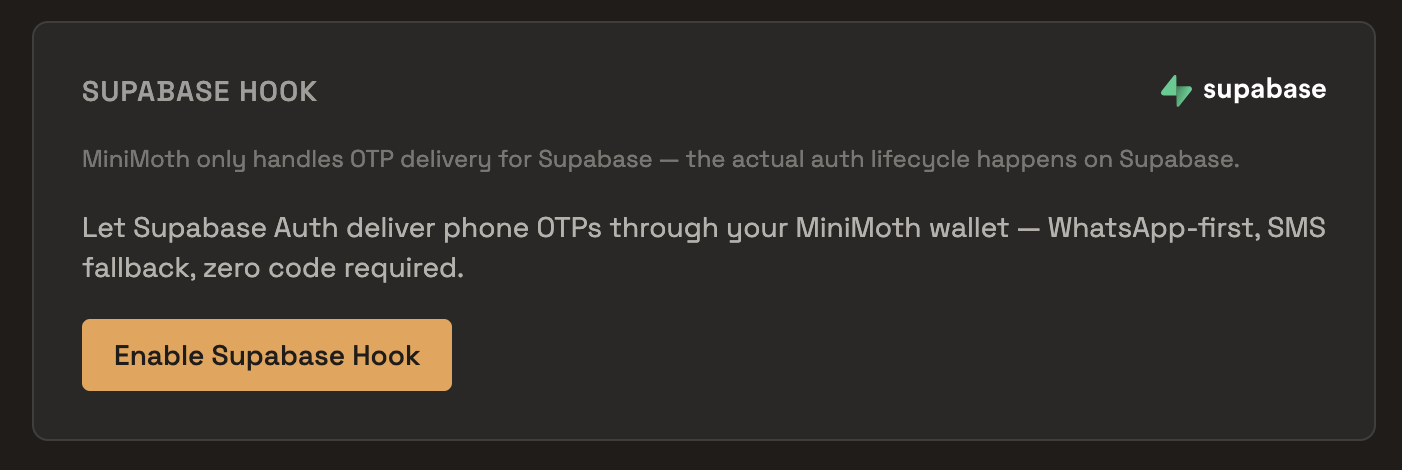
1. **MiniMoth dashboard** — open your project, find the Supabase Hook card, and click `Enable Supabase Hook`. Copy the `Test` Hook URL and Secret.
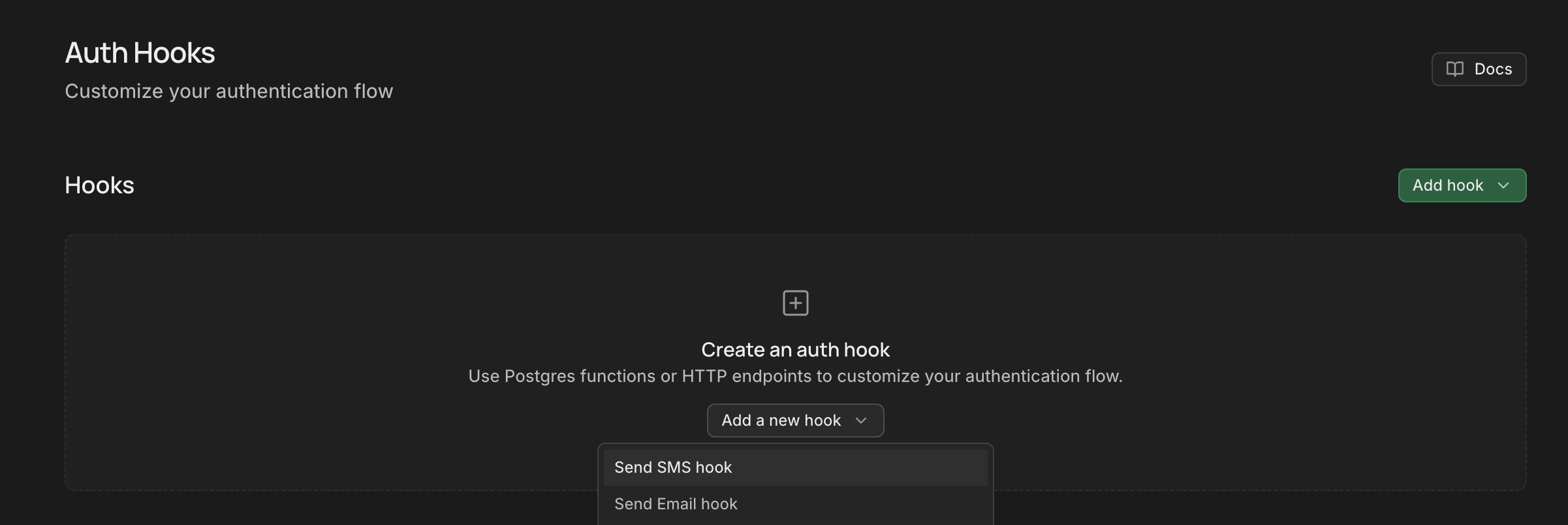
 2. **Supabase dashboard** — go to `Authentication → Hooks → Send SMS hook`, choose `HTTPS`, paste the test URL and secret, and save.
 3. **Verify the connection** — trigger `signInWithOtp()` from your app, then check Supabase's own Auth logs for a successful call. Test mode sends no real message, so this is the only way to confirm the hook is wired correctly — MiniMoth's own Playground can't substitute for it here, since Supabase owns the request.
No app to test from yet? Paste this into a scratch file:
4. **Go live** — repeat steps 1–2 with the `Live` Hook URL and Secret. This is also the only way to see a real OTP actually delivered, since test mode by design never sends one.
3. **Verify the connection** — trigger `signInWithOtp()` from your app, then check Supabase's own Auth logs for a successful call. Test mode sends no real message, so this is the only way to confirm the hook is wired correctly — MiniMoth's own Playground can't substitute for it here, since Supabase owns the request.
No app to test from yet? Paste this into a scratch file:
4. **Go live** — repeat steps 1–2 with the `Live` Hook URL and Secret. This is also the only way to see a real OTP actually delivered, since test mode by design never sends one.
Billing
Real OTPs sent via the live hook are billed to your wallet balance at send time, at the same default rate (₹0.35) as calling the API directly. Test-mode calls cost nothing and consume no credits.
---
## Auth0
export const actionCode = `exports.onExecuteCustomPhoneProvider = async (event, api) => {
if (!event.notification.message_type.startsWith('otp')) {
api.notification.drop(\`MiniMoth only delivers OTP messages, not '\${event.notification.message_type}'\`)
return
}
if (event.notification.delivery_method !== 'text') {
api.notification.drop('MiniMoth does not support voice delivery')
return
}
let response
try {
response = await fetch(event.secrets.SERVICE_URL, {
method: 'POST',
headers: { 'content-type': 'application/json', authorization: \`Bearer \${event.secrets.TOKEN}\` },
body: JSON.stringify({ phone: event.notification.recipient, code: event.notification.code }),
})
} catch (err) {
api.notification.retry(\`Network error calling MiniMoth: \${err.message}\`)
return
}
if (response.status >= 500) {
api.notification.retry(\`MiniMoth returned \${response.status}\`)
return
}
if (!response.ok) {
const body = await response.text()
api.notification.drop(\`MiniMoth rejected the request (\${response.status}): \${body}\`)
}
}`
export const terraformCode = `resource "auth0_action" "minimoth_custom_phone_provider" {
name = "MiniMoth Custom Phone Provider"
runtime = "node22"
deploy = true
code = <<-EOT
exports.onExecuteCustomPhoneProvider = async (event, api) => {
if (!event.notification.message_type.startsWith('otp')) {
api.notification.drop(\`MiniMoth only delivers OTP messages, not '\${event.notification.message_type}'\`)
return
}
if (event.notification.delivery_method !== 'text') {
api.notification.drop('MiniMoth does not support voice delivery')
return
}
let response
try {
response = await fetch(event.secrets.SERVICE_URL, {
method: 'POST',
headers: { 'content-type': 'application/json', authorization: \`Bearer \${event.secrets.TOKEN}\` },
body: JSON.stringify({ phone: event.notification.recipient, code: event.notification.code }),
})
} catch (err) {
api.notification.retry(\`Network error calling MiniMoth: \${err.message}\`)
return
}
if (response.status >= 500) {
api.notification.retry(\`MiniMoth returned \${response.status}\`)
return
}
if (!response.ok) {
const body = await response.text()
api.notification.drop(\`MiniMoth rejected the request (\${response.status}): \${body}\`)
}
};
EOT
supported_triggers {
id = "custom-phone-provider"
version = "v1"
}
}
resource "auth0_trigger_action" "minimoth_custom_phone_provider" {
trigger = "custom-phone-provider"
actions {
id = auth0_action.minimoth_custom_phone_provider.id
display_name = auth0_action.minimoth_custom_phone_provider.name
}
depends_on = [
auth0_action.minimoth_custom_phone_provider
]
}
resource "auth0_phone_provider" "minimoth_custom_phone_provider" {
depends_on = [auth0_trigger_action.minimoth_custom_phone_provider]
name = "custom"
disabled = false
configuration {
delivery_methods = ["text"]
}
credentials {}
}`
Deliver Auth0's phone OTPs over WhatsApp first, SMS fallback, for Indian numbers — at MiniMoth's rate, via a small Action you paste into your Auth0 tenant.
Before you enable this
This is tenant-wide, not opt-in per notification type — it takes over every Auth0 phone notification, including
account-security SMS like blocked-account and password-change. MiniMoth's Action only delivers OTPs; anything else is
rejected, not delivered. Make sure you have another channel for those alerts first.
## How it fits together
Auth0 already owns the entire OTP lifecycle — it generates the code, verifies it, and issues the session. MiniMoth becomes the delivery backend an Auth0 custom phone provider Action calls out to. Unlike some integrations, Auth0 doesn't fix the shape of that call — the Action below is MiniMoth's own code for you to paste in as-is.
Every branch of this Action explicitly tells Auth0 whether to retry or give up — nothing is ever silently dropped without Auth0 knowing about it:
## Setup
Wire up test mode first — it confirms the connection without sending a real message or touching your balance.
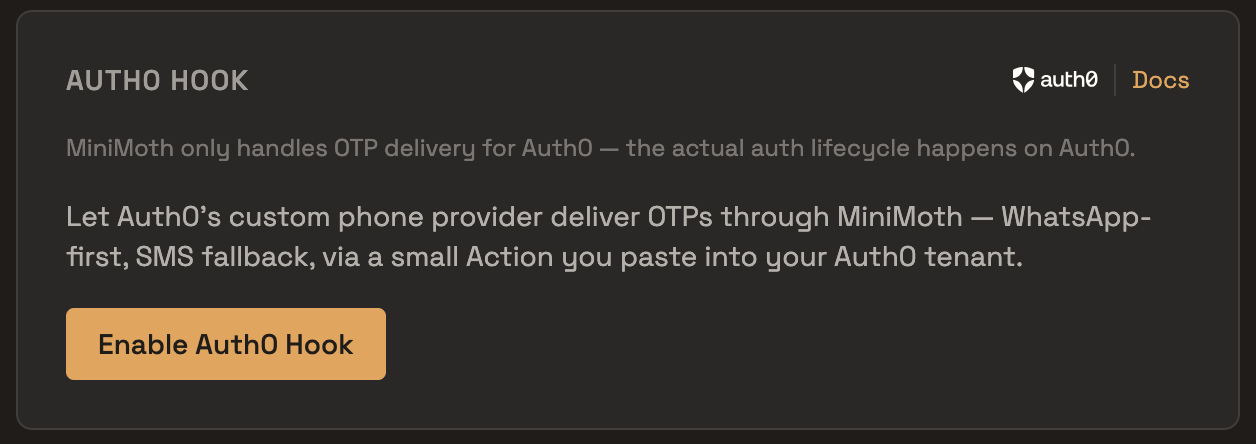
1. **MiniMoth dashboard** — open your project, find the Auth0 Hook card, and click `Enable Auth0 Hook`. Copy the `Test` Hook URL and Token, and copy the Action snippet shown in the card.
 2. **Auth0 dashboard** — go to `Actions → Library`, create a new Custom action bound to the `Send Phone Message` (custom phone provider) trigger, paste in the Action code, then add two secrets on the Action: `SERVICE_URL` (the Test Hook URL you copied) and `TOKEN` (the Test Token). Deploy the Action.
3. **Verify the connection** — trigger a phone OTP flow from your app (or Auth0's own testing tools), then check your Auth0 tenant's Action logs for a successful call. Test mode sends no real message, so this is the only way to confirm the hook is wired correctly.
4. **Go live** — swap the Action's `SERVICE_URL`/`TOKEN` secrets for the `Live` Hook URL and Token from the same card. This is also the only way to see a real OTP actually delivered, since test mode by design never sends one.
## Setting up via Terraform
Managing your Auth0 tenant as code? The steps above translate to an `auth0_action`, wired to the custom phone provider trigger via `auth0_trigger_action`, with `auth0_phone_provider` enabling it:
This resource doesn't manage the Action's `SERVICE_URL`/`TOKEN` secrets — set those separately, either in the Auth0 dashboard or via your own Terraform handling of Action secrets. Also note that Auth0 requires deleting any custom phone provider already configured manually via the dashboard before one can be created through Terraform.
2. **Auth0 dashboard** — go to `Actions → Library`, create a new Custom action bound to the `Send Phone Message` (custom phone provider) trigger, paste in the Action code, then add two secrets on the Action: `SERVICE_URL` (the Test Hook URL you copied) and `TOKEN` (the Test Token). Deploy the Action.
3. **Verify the connection** — trigger a phone OTP flow from your app (or Auth0's own testing tools), then check your Auth0 tenant's Action logs for a successful call. Test mode sends no real message, so this is the only way to confirm the hook is wired correctly.
4. **Go live** — swap the Action's `SERVICE_URL`/`TOKEN` secrets for the `Live` Hook URL and Token from the same card. This is also the only way to see a real OTP actually delivered, since test mode by design never sends one.
## Setting up via Terraform
Managing your Auth0 tenant as code? The steps above translate to an `auth0_action`, wired to the custom phone provider trigger via `auth0_trigger_action`, with `auth0_phone_provider` enabling it:
This resource doesn't manage the Action's `SERVICE_URL`/`TOKEN` secrets — set those separately, either in the Auth0 dashboard or via your own Terraform handling of Action secrets. Also note that Auth0 requires deleting any custom phone provider already configured manually via the dashboard before one can be created through Terraform.
Testing with real testers
Testing your integration before going live? MiniMoth's Test Group preview feature works with the Auth0 test hook too — up to 5 real testers can see OTPs sent through your Test Hook without a real message going out.
Requirements
Your Auth0 connection's OTP length must stay at Auth0's default of 6 digits — MiniMoth's SMS delivery uses a DLT-approved template that can't accommodate other lengths. A mismatched configuration means every send fails.
Billing
Real OTPs sent via the live hook are billed to your wallet balance. Test-mode calls cost nothing and consume no credits.
---
## Test Group
export const triggerCode = `// Trigger this against a phone number in your test group,
// with your Test Hook wired up in Supabase Auth
const { error } = await supabase.auth.signInWithOtp({ phone })`
Give up to 5 testers a link where they can see the OTP your [Supabase](/docs/integrations/supabase) or [Auth0](/docs/integrations/auth0) Test Hook generates — without a real SMS or WhatsApp message ever going out, and without anyone digging through your provider's own logs to find the code.
## How it fits together
This only works together with the Supabase or Auth0 integration's `Test` Hook — it isn't a general-purpose way to test the OTP API. When your staging app triggers a phone OTP against a number wired to your Test Hook, Supabase or Auth0 sends the code to MiniMoth as usual, but test mode never actually delivers it. Test Group gives a human a place to see that code anyway: a tester who's part of the group and has logged in sees the code appear on their screen (or as a push notification) within seconds, and relays it to whoever needs to finish verification.
Test Group only ever captures OTPs sent through your project's Test Hook. Live/production OTPs — from the Live Hook, the direct API, or anywhere else — are never captured or exposed here.
## Setup
1. **Wire up your Supabase or Auth0 Test Hook first** — Test Group has nothing to show until your app is actually triggering OTPs through it. See the [Supabase](/docs/integrations/supabase) or [Auth0](/docs/integrations/auth0) integration guide.
2. **MiniMoth dashboard** — switch the project to `Test Mode`, open the `Test Group` card, and click `Set up a test group`.
3. **Add testers** — up to 5 real, reachable phone numbers. Each one has to log in with an actual OTP before they can see anything, so a number you don't control won't get you access.
4. **Share the invite link** — copy it from the same card and send it to your testers. You can rotate it any time to revoke the old link immediately; testers already logged in aren't affected.
5. **Tester logs in** — they open the link, enter their phone number, and verify a one-time code (this part is a real OTP, sent over MiniMoth's normal infrastructure). That signs them into a 10-day session, independent of your project's own session settings — logging out is the only thing that ends it early.
6. **Trigger a Test Hook OTP** — from your staging app, for one of the allowlisted numbers:
The code shows up on the tester's screen within about 10 seconds. They can also install the page as an app and enable notifications, so it arrives as a push instead of requiring the tab to stay open.
Billing
A tester's one-time login OTP is billed to your wallet like any other OTP, that's real delivery, so it's real cost. The OTPs they preview afterwards cost nothing: those come from your Test Hook, which never sends a real message in the first place.
Good to know
- Up to 5 numbers per project.
- A captured OTP is only held for 5 minutes — if nobody's watching the screen when it comes through, it's gone by the time they check.
- Removing a tester's number immediately logs out their session, if they had one.
