 minimoth
Supabase
Deliver Supabase Auth’s phone OTPs over WhatsApp first, SMS fallback, for Indian numbers — at MiniMoth’s rate, with zero changes to your application code.
How it fits together
Supabase Auth already owns the entire OTP lifecycle — it generates the code, verifies it, and issues the session. MiniMoth becomes the delivery backend Supabase calls out to via its Send SMS Hook. Your own application code doesn’t change:
// This doesn't change when you add MiniMoth
const { error } = await supabase.auth.signInWithOtp({ phone })
MiniMoth never sees the Supabase session or the verification step — only the outbound SMS-hook call Supabase makes when it needs an OTP delivered. This is a delivery-backend integration, not an auth provider swap. One consequence: this integration never returns a MiniMoth identity_id — Supabase already owns that user’s identity in auth.users, so use its id instead.
Setup
Wire up test mode first — it confirms the connection without sending a real message or touching your balance.
-
MiniMoth dashboard — open your project, find the Supabase Hook card, and click
Enable Supabase Hook. Copy theTestHook URL and Secret.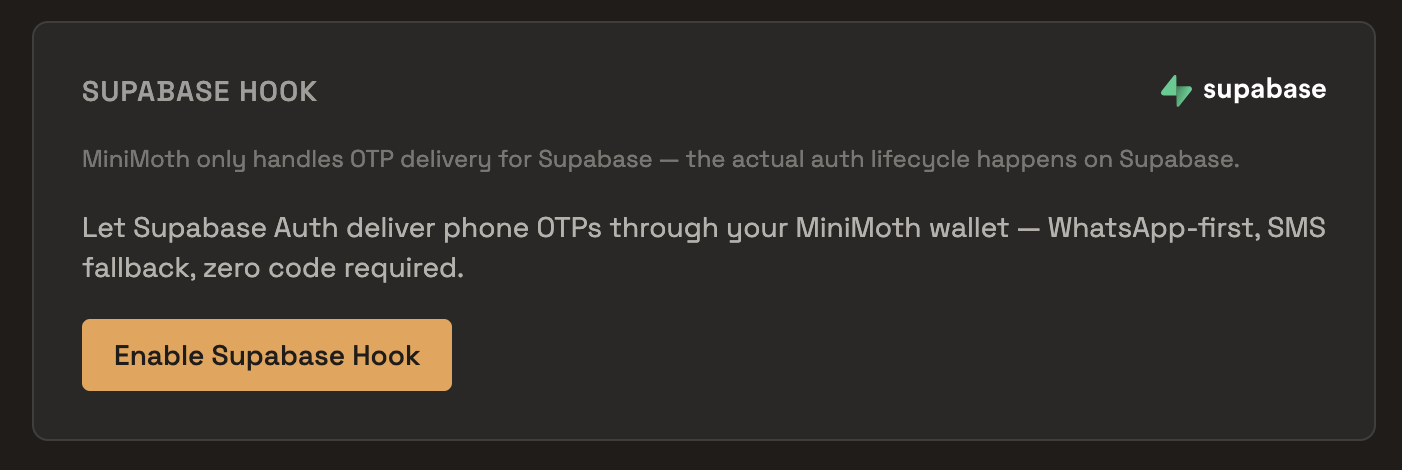
-
Supabase dashboard — go to
Authentication → Hooks → Send SMS hook, chooseHTTPS, paste the test URL and secret, and save.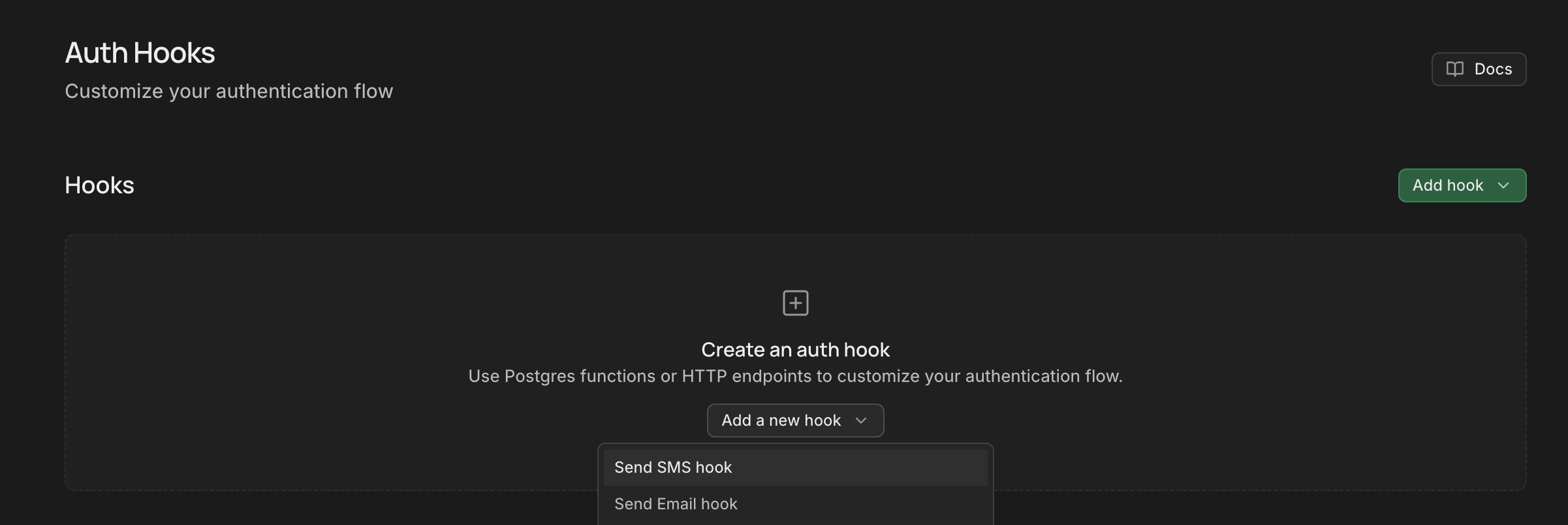
-
Verify the connection — trigger
signInWithOtp()from your app, then check Supabase’s own Auth logs for a successful call. Test mode sends no real message, so this is the only way to confirm the hook is wired correctly — MiniMoth’s own Playground can’t substitute for it here, since Supabase owns the request.No app to test from yet? Paste this into a scratch file:
import { createClient } from '@supabase/supabase-js' const supabase = createClient(SUPABASE_URL, SUPABASE_ANON_KEY) // 1. Send — this is what calls MiniMoth's hook await supabase.auth.signInWithOtp({ phone: '+919876543210' }) // 2. Verify — the code the user received await supabase.auth.verifyOtp({ phone: '+919876543210', token: '123456', type: 'sms' }) -
Go live — repeat steps 1–2 with the
LiveHook URL and Secret. This is also the only way to see a real OTP actually delivered, since test mode by design never sends one.
Billing
Real OTPs sent via the live hook are billed to your wallet balance at send time, at the same default rate (₹0.35) as calling the API directly. Test-mode calls cost nothing and consume no credits.
Try the full OTP flow interactively in the sandbox — no SMS sent, no credits consumed. The same Playground also has a live test to send a real OTP to your phone (uses your credits).
Test in Playground →